Light & Technology · 9 min read
Planning a Smart Home That Makes Sense: Technology You Never Have to Think About
A guest feels along the hallway wall at night, looking for a switch that does not exist, because the light only answers to an app. Now imagine the opposite: one press at the front door and the lights go out, the blinds settle and the heating lowers, while at night a faint glow guides your way to the bathroom without waking anyone.
Imagine a couple in Hietzing who have renovated a house from the 1930s. A technology-loving acquaintance made "everything smart": lamps with radio modules, a voice assistant in every room, one app for the lights, one for the heating, one for the blinds, one for the doorbell. In the first winter a lot works. In the second, after an update the light in the hallway fails, guests look in vain for a switch, and the mother-in-law no longer dares to enter the guest room because the blind suddenly rises there at night. The technology is not bad. It was simply never planned.
Contents
- What makes a smart home make sense
- Sensible or merely blinking: an honest overview
- Operation first: every room works without a phone
- Light as the most important use case
- Shading, heating and cooling
- Wired or wireless: which system suits
- Planning the invisible: where the technology lives
- How we plan a smart home
- Frequently asked questions
- What happens next
What makes a smart home make sense
A smart home is an apartment or house in which lighting, shading, heating, cooling and other functions are controlled through a shared system. This can happen on a timer, via sensors or at the press of a button. The idea is old; the possibilities today are broader and cheaper than they used to be.
A smart home makes sense when it shortens routines, saves energy or provides security, and does so without your having to think about it. The most convincing automation is the kind you do not notice: the blinds come down at midday on hot days, the heating drops at night, the corridor light comes on dimmed during the night.
Less sensible is technology that demands attention. A refrigerator with a screen, a voice command for every lamp or a wall switch with twelve unlabelled buttons does not make life simpler but more complicated.
Good technology behaves like good staff: it is there when you need it and invisible when you do not.
Doing nothing has its own price, even if it is quiet: the evenings spent flipping four switches, the south-facing rooms that heat up by noon, the lamp you forget to turn off. But which functions are worth the effort?
Sensible or merely blinking: an honest overview
From many projects we have formed a clear picture of which functions carry weight in everyday life and which are more of a gimmick.
| Function | Benefit in daily life | Our assessment |
|---|---|---|
| Lighting scenes (cooking, dining, evening, night) | High, used daily | Very sensible, if operable by wall switch |
| Shading by sun position and temperature | High, especially in summer | Very sensible, above all with large areas of glass |
| Individual room control for heating and cooling | High, saves energy | Sensible, especially with surface systems |
| Central off when leaving | Medium to high | Sensible and easy to implement |
| Presence sensors in secondary rooms | Medium | Sensible in corridor, storeroom, dressing room, WC |
| Water leak sensors under dishwasher and washing machine | Rarely needed, then very valuable | Sensible, especially in apartments on upper floors |
| Remote access to heating and alarm | High for second homes | Sensible, with proper security |
| Voice control for everything | Low to medium | A supplement, never the only means of operation |
| Colour-changing lighting | Low | Mostly superfluous in living areas |
| Networked household appliances with a screen | Low | Rarely adds value |
Operation first: every room works without a phone
Our guiding principle: every function must also be operable without an app. At the room entrance there is a wall switch that controls the light. A visitor needs no explanation. Someone who has mislaid their phone is not left sitting in the dark.
Scenes, schedules and remote access can build on this foundation. A well-labelled wall switch with two to four functions per room is enough in most cases. One button for "on", one for "evening", one for "off". Rarely is more needed.
For people who are growing older or who have limitations, this is especially important. Reliable, simple operation, easily reached switches and orientation light at night belong to a home that moves with its occupants. More on this in the article Ageing in place without the care-home look. And where does a smart home pay off first?
Light as the most important use case
If there is one function that justifies a smart home, it is lighting control. Good lighting design works with several layers per room: general light, zone light, accents. Without control you would have to flip four switches and turn two dimmers every evening. With scenes, one press is enough.
Control does not replace lighting design, though. First it must be clear which light is needed where; then comes the question of how it is switched. The basics are described in the article Lighting design for the home, and how light structures open areas in the article Light as a transition.
For the couple in Hietzing we defined three scenes for each room and four for the living room and kitchen. The "night" scene switches the lights off everywhere, leaves a faint orientation light on in the corridor and lowers the blinds in the bedroom, in the guest room only if it is occupied. That sounds trivial, and that is exactly the point: the technology takes over routines you would otherwise repeat every evening.
A common problem is luminaires and dimmers that do not match. The consequences are flickering, humming or a dimming range that only jumps between bright and off. We clarify this with the electrician before ordering, not after installation.
Shading, heating and cooling
After lighting, shading is the second most important area. Viennese summers are getting hotter, and large areas of glass facing south or west heat rooms quickly. Automatic shading that responds to the position of the sun and the temperature keeps the heat out before it is in. How daylight and sun protection work together is described in the article Making use of daylight.
For heating and cooling, individual room control is worthwhile. The bedroom may be cooler than the bathroom, the study warm during the day and lowered in the evening. Especially with surface heating and cooling, which react slowly, a control that works predictively helps. More on this in the article Heating and cooling through surfaces.
A blind that comes down at eleven o'clock cools more than any air conditioner that kicks in at three.
Picture a July afternoon: the sun hammers on the glass, yet the living room stays cool and the light stays soft, because the blinds moved hours ago without anyone touching a switch. What system carries all this?
Wired or wireless: which system suits
Basically there are two routes. Wired systems, such as those based on the open KNX standard, connect switches, actuators and sensors through a dedicated control cable. Wireless systems communicate without cables and can be retrofitted without chasing work.
| Criterion | Wired | Wireless |
|---|---|---|
| Suited to | New build, full renovation | Existing buildings, partial renovation, rented apartments |
| Reliability | Very high | Good, depends on radio quality |
| Installation effort | Higher, cabling required | Lower |
| Expandability | Good, with planning | Good, but mind system limits |
| Longevity | Long service life is usual | Depends on manufacturer and updates |
In a Viennese Altbau with stucco ceilings and thick brick walls, wireless is sometimes the only sensible solution unless renovation is happening anyway. With a full renovation, on the other hand, we recommend a wired basis for lighting and shading, supplemented by wireless where it makes sense. Which system suits in a particular case we decide together with a specialist electrical engineer.
In both cases it is important to choose open or widely used standards, so that the system does not depend on a single provider. And to insist on documentation that another specialist firm can later work from. Where does all the technology live?
Planning the invisible: where the technology lives
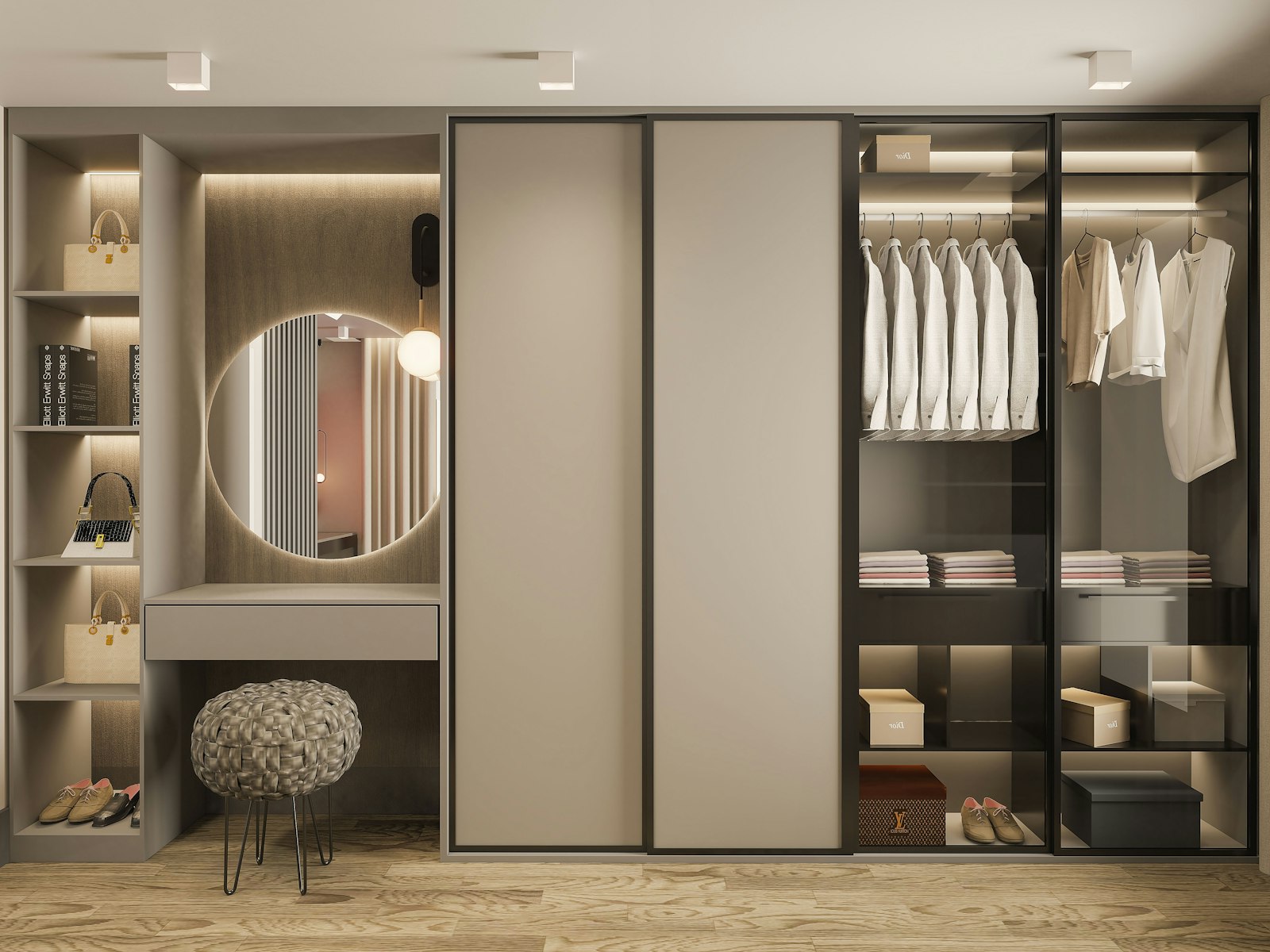
Technology needs space, even if it is not meant to be seen. Distribution boards, routers, network cabinets, power supplies and control units have to be housed somewhere, well ventilated and accessible. In many projects we plan a technical cabinet for this, built into a wardrobe in the hallway or storeroom, with ventilation slots and its own socket. Our joinery Tischlerkultur, which carries on a Viennese carpentry tradition begun in 1935, builds it in its own workshop, so the flush front hides everything and still gives your electrician access.
Wi-Fi needs planning too. Thick Altbau walls and reinforced concrete ceilings swallow radio signals. With network cables to a few well-chosen points and flat access points on the ceiling, a stable network emerges without devices blinking everywhere. How to integrate the television without a tangle of cables is described in the article Furnishing a living room without letting the television rule the space.
Switches, sensors and motion detectors should suit the rest of the design. We choose switch ranges whose material and colour harmonise with walls and built-ins, and we position sensors so that they do not stand out. The foundation for this is early electrical planning; see Electrical planning: why the socket in front of the sofa is planned first.
How we plan a smart home
- Understand daily life. Which routines repeat every day? Where do journeys arise that you would like to save yourself?
- Define functions. What should happen automatically, what by switch, what remotely?
- Coordinate lighting design and shading. Control follows planning, not the other way round.
- Choose the system. Wired, wireless or a combination, with open standards and clear documentation.
- Plan the technical space. Distribution, network and control get their own accessible location.
- Design the operation. Switches, labelling, switch range, positions.
- Set up and brief. Scenes and schedules are set up together with you and adjusted after a few weeks.
With us, one contact person leads you through all seven steps, from the first sketch to the handover. For second homes, remote access is added: bringing the heating up before arrival, monitoring water leak sensors, controlling shading while you are away. How to plan an apartment for two cities is described in the article A home in two cities.
What the couple in Hietzing have today is less than before: a wired system for lights and blinds, a single app for remote access, wall switches in every room. The voice assistant still stands in the kitchen. It sets the egg timer and plays the radio while they cook.
Frequently asked questions
Does a smart home make sense?
Yes, if it simplifies daily life, for instance through lighting scenes, automatic shading and individual room control of the heating. Less sensible are functions that demand attention or can only be operated via an app. What matters is planning that starts from daily life, and that is where we begin.
Can you retrofit a smart home in an Altbau?
Yes, with wireless systems this is possible without major chasing work. Thick walls and ceilings do, however, require careful planning of the radio connections. With a full renovation, a wired basis is worthwhile. We tell you honestly which route suits your building.
What does a smart home cost?
Costs depend heavily on scope, system and existing structure and can only be stated reliably after planning. A simple lighting control with scenes costs considerably less than a fully networked house. It makes sense to start with the functions that are used daily, and to leave room to add more later.
Does the light still work if the internet goes down?
With a well-planned system, yes. Switches and basic functions work locally, without an internet connection. Only remote access and voice control depend on it.
Which smart home system is the best?
There is no best system for everyone. Wired systems are very reliable and long-lived; wireless ones are more flexible in existing buildings. Open standards, good documentation and a specialist firm that can support the system are what matter.
How secure is a smart home?
That depends on configuration and maintenance. A separate network for the building technology, regular updates and secure access credentials are the foundation. The less the system depends on external services, the smaller the attack surface.